
Period tracker & cycle syncing
Your cycle,
a little clearer.
Get to know your rhythm with a private period tracker that brings your cycle, symptoms and daily care into view.

No account needed
The four
phases
Menstrual
Your period marks the start of a new cycle.
Follicular
This is the lead-up to ovulation.
Ovulatory
Ovulation is when an ovary releases an egg.
Luteal
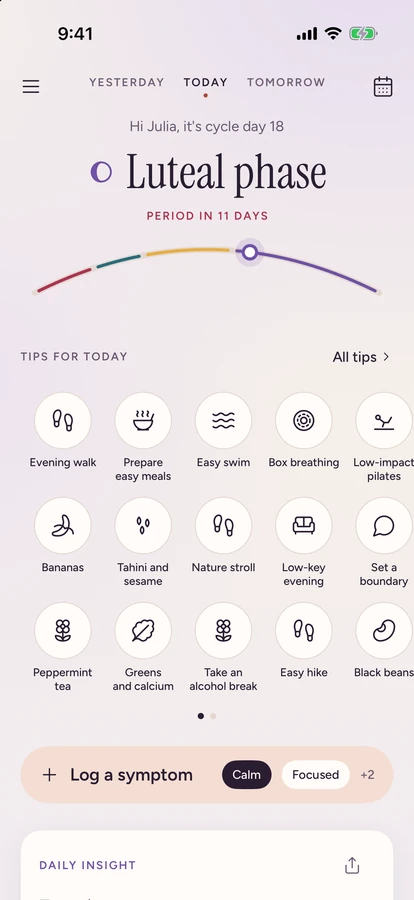
This phase follows ovulation and lasts until your next period.
How it helps
A closer look at your day.
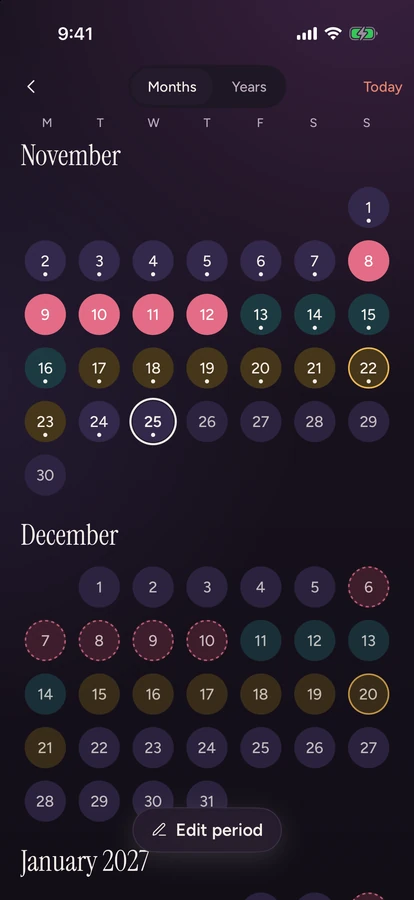
Cycle calendar
Look ahead with a little more context.
See your period dates and your logs together. Ruvie uses your recent cycles to estimate when your next period might start. If your cycles vary, you’ll see a range of dates.
Period and ovulation predictions are estimates. Do not use them to prevent or plan a pregnancy.
Daily log
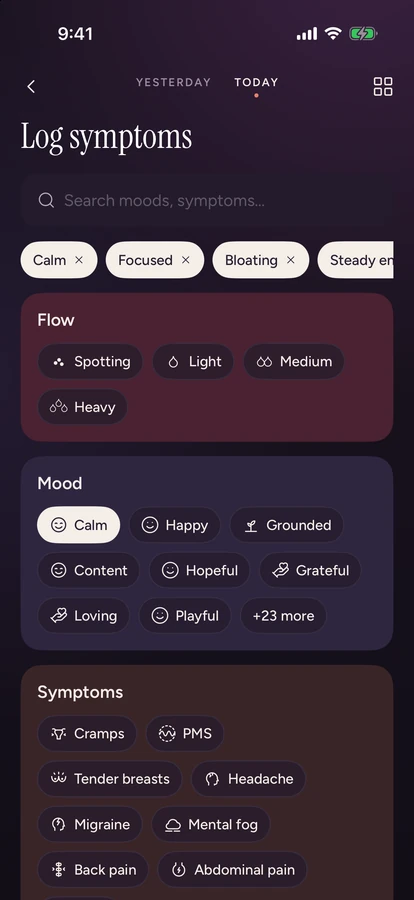
Remember how you felt, even weeks later.
A cramp, a good night’s sleep, a shift in mood. Tap what fits today and add a note in your own words. You can return to any day to fill in a detail or spot a familiar pattern.
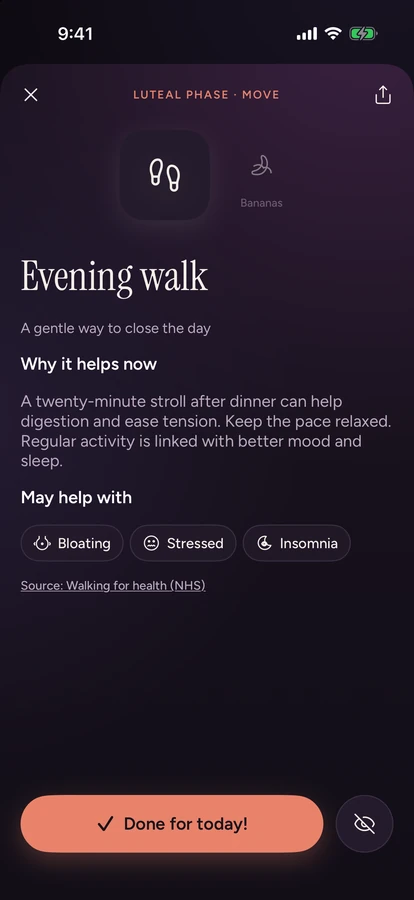
Relief & cycle syncing
Find one thing that feels doable.
Browse ideas for food, movement and self-care that fit your phase and the symptoms you log. Open a tip to see why it might help, then choose what feels right for you.
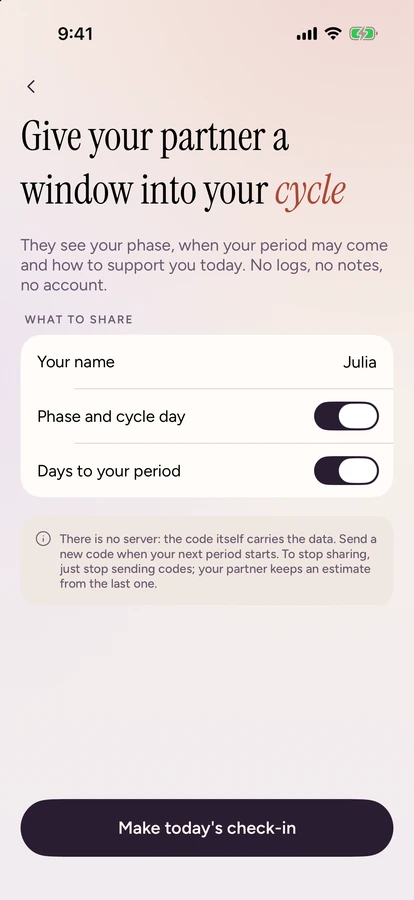
Partner sharing
Let someone in, on your terms.
Choose what goes into a dated check-in, preview it, then share it with your partner. They see your snapshot and ideas for supporting you. Your journal stays private.
Privacy by design
Your cycle diary
stays with you.
Ruvie keeps your health records on your phone. Add an app lock, choose discreet reminders, or make an encrypted backup when you move to a new phone.
Read the privacy policy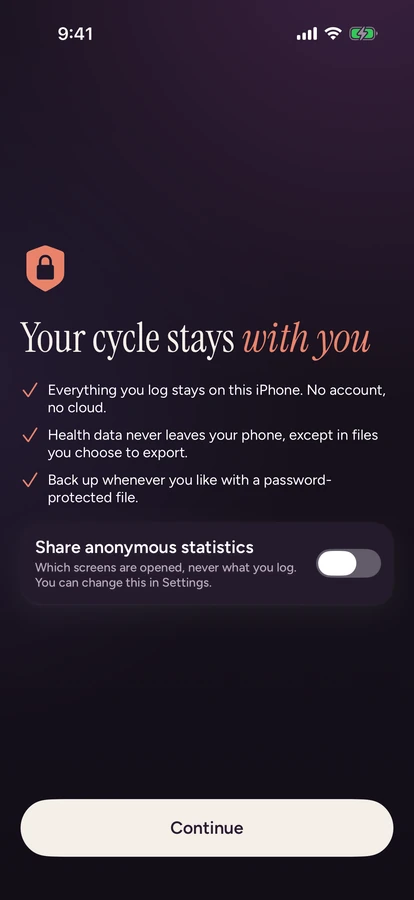
From the guides.
Browse all guides- Period crampsWhy do I have period cramps but no bleeding?
- Period crampsWhat helps when period cramps start?
- Cycle phases and hormonesThe follicular phase starts with your period
- Cycle phases and hormonesWhat does discharge look like after ovulation?
- Cycle phases and hormonesHow long is the luteal phase, and when does it start?
- Cycle phases and hormonesHow long is a normal menstrual cycle?
FAQ
A few common
questions.
Do I need an account?
You can start tracking on iPhone or Android without signing up. Your period dates, symptoms and journal stay on your phone.
What if my periods are irregular?
Ruvie uses the dates you log to estimate a window for your next period. When your cycles vary, it shows a range of dates. You can update your history if you missed an entry.
Can I use Ruvie as contraception?
No. Period dates, fertile windows and ovulation days are estimates and can be wrong. Do not use Ruvie to prevent or plan a pregnancy. Ruvie does not diagnose or treat any condition.
What can I add to my daily log?
You can record flow, symptoms, mood, sleep, energy, medication, basal temperature, weight and a journal note. You can edit past entries or add something you remember later.
What will my partner see?
You preview a dated snapshot and choose what to include, such as your phase or how you feel today. Your partner gets that snapshot and ideas for supporting you. Your private diary stays on your phone. Send a new snapshot when you want to share an update.
Can I bring my cycle history to an appointment?
Yes. You can make a PDF report of your cycles and symptoms or export your records as a CSV. You choose whether to share the file with your clinician.
How do I move my diary to another phone?
Create an encrypted backup in Settings and save the file somewhere you can reach on your new phone. Restore it in Ruvie with the password you chose when you made the backup.
How do you say Ruvie?
Say ROO-vee. The name brings together ruby and vie, the French word for life.

Get to know your cycle.
Find Ruvie on iPhone and Android.